List views - select only this page (visible rows) vs. select all
In the past, I added a request to improve list view operations by supporting “shift+click” partial range selections, but that was rejected. I’m still not really sure why as it would vastly improve UX, although I’m not sure how much code would be involved (though in other products I have seen, it hasn’t been a lot).
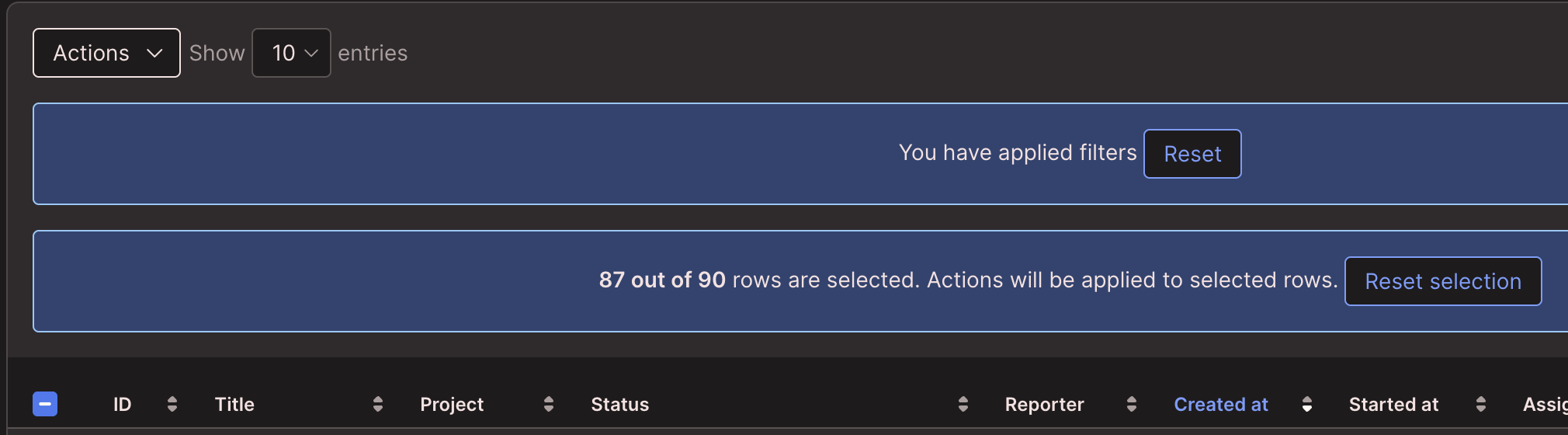
As of v6.0, there is no way to “select all on the current page” in a List view in Splynx. Clicking the header-row checkbox in the upper left selects all rows across all of the pages in the list view. There is no way to only select the “visible” items on the current page, other than manually clicking every single row/checkbox one at a time. This is very tedious and frustrating. Obviously we can change the number of rows displayed in the list from 10 or 25 up to 100, but the problem is that manually clicking a bunch of boxes is mistake-prone and annoying.
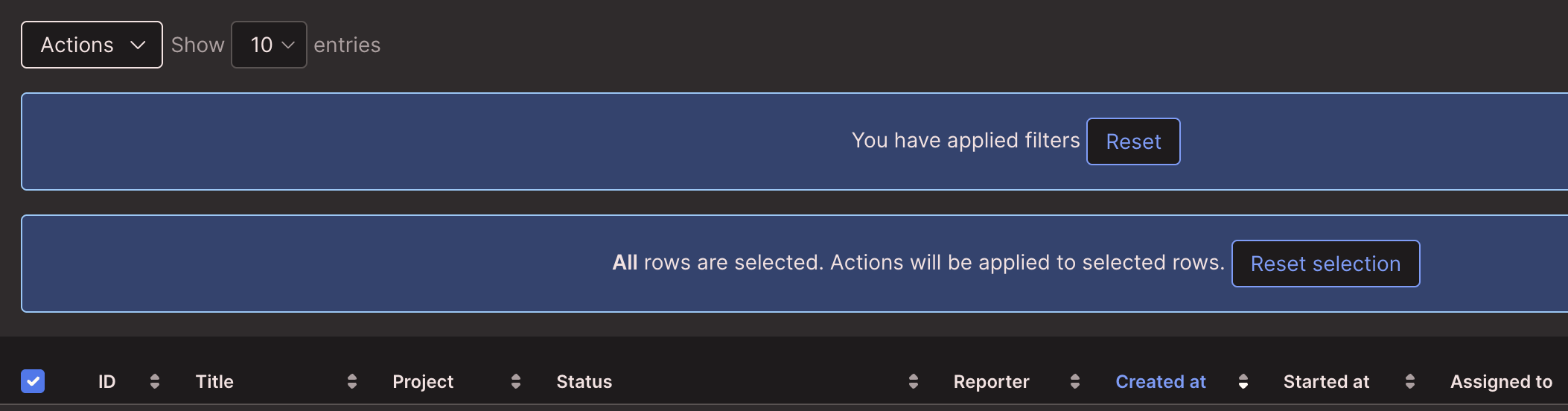
Proposal: change the behavior of the header-row checkbox to only select the items on the currently visible page. Above the header-row, Splynx already displays an informational alert about how many rows are selected along with a “reset selection” button that unchecks everything. Add a second button or link to that alert that says “click here to select all rows on all pages” (or something similar). It would also be helpful to explicitly show the count of rows included in “All” - “All (90) rows are selected” in the first image below would be better than just saying “All”.
Second option: if changing the info alert section isn’t viable, add a new button somewhere in the upper left for “all rows all pages” and switch the current header-row select-all to “just this page”.
Third option, if the developers really want to maintain the existing behavior of the header-row checkbox: add a button in the info alert next to “reset selection” that says “only select visible rows on current page” or something similar.
I would like to see this available on most if not all of the major List view sections, like Customers → List, Scheduling → Tasks (list view), Inventory → Items, etc (so it should be generic code across the UI rather than multiple section-specific implementations). I understand that changes like these are not “flashy,” but making your product easier to use is something that helps retain and delight customers and makes them wonder “how did I ever live without this?”
These examples are from Scheduling → Tasks, but basically all List views in Splynx would benefit from this improvement.
Log in to comment and vote
No comments yet
Be the first to share your thoughts.