Tasks List - Add Filter for "Started at" and "End at"
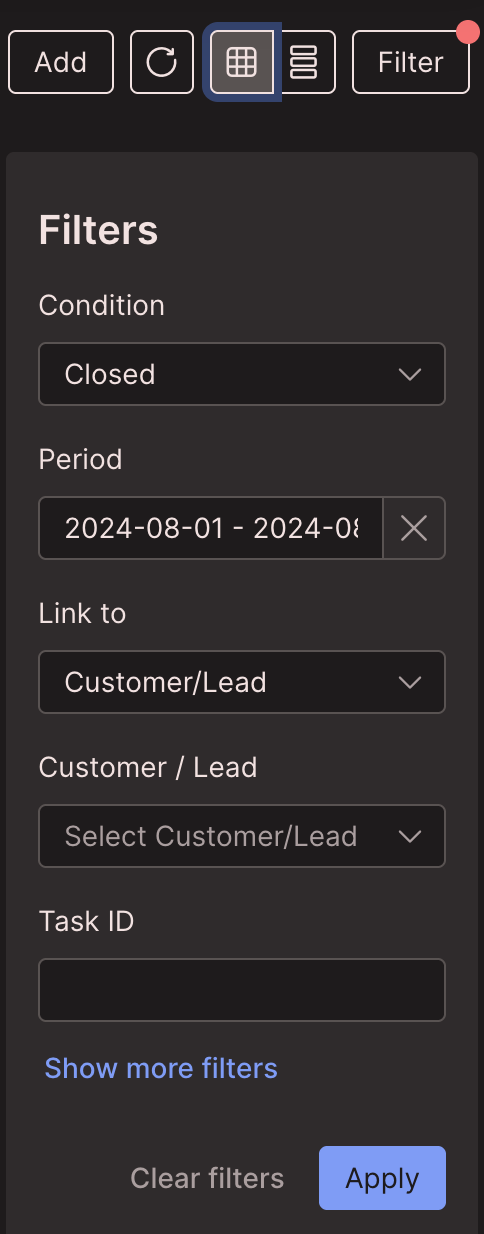
As of v6.0, the Scheduling → Tasks “list view” has a Filter section and a property called “Period” that can be used for filtering. However, “Period” filters on the date the Task was created. We generally don’t care much when the task was created, what matters much more for our needs is when the task was scheduled to start (and sometimes end). We often create a task a week or more before it is actually scheduled.
I propose changing “Period” to “Task Created Date,” and then adding two new filters for “Task Scheduled Start Date” and “Task Scheduled End Date” that use the same UI (date-range picker interface). Currently, there is no way to filter the List view by the scheduled date, unless you add the “Started at” column and then do a search for a specific YYYY-MM-DD (which is inefficient and hard to work with).
Log in to comment and vote
No comments yet
Be the first to share your thoughts.