Release notes – Splynx v.5.2
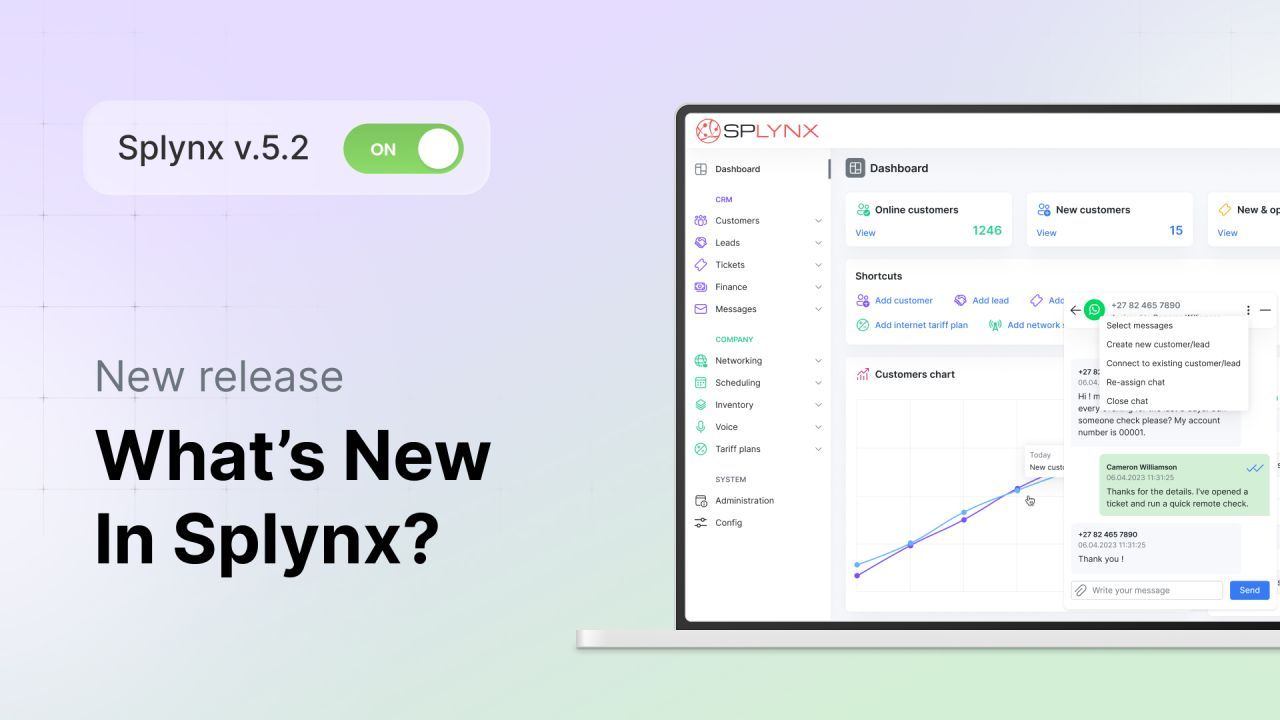
Starting today, Splynx 5.2 is generally available. These updates focus on communication upgrades that help teams respond faster and keep conversations reliable at scale. Plus, we’re introducing new billing capabilities for prepaid accounts, tax changes safeguards, and networking improvements like bulk actions for Multiple PSK to improve Wi-Fi network deployment and management in apartments and other MDUs.
Splynx 5.2 also brings minor but essential improvements across messaging, customer self-service, and tax management. Let’s take a look at what’s new:
Re-engineered WhatsApp, now running natively in Splynx
Since version 5.2, WhatsApp has been integrated into Splynx and does not require a separate installation. It runs entirely natively with improved speed and reliability. Messages load noticeably faster and chat sessions are more stable — even on instances with 100K+ customers actively using the most popular messaging app globally. These backend changes also lay the technical foundation for our plans to enable Inbound SMS / 2-Way SMS Messaging and support additional messaging platforms in future updates, unifying channels in a single “one-window” chat inside Splynx.

Your agents can now link or unlink a phone number to the correct lead or customer — directly from Chatbox or the Messengers tab — and keep the full chat history. After the switch, new WhatsApp messages route to the right lead/customer, agents see the full context, and you avoid duplicate records or lost conversations. Additionally, they can reply faster with on-screen formatting and hotkeys (e.g., Ctrl+B for bold, Ctrl+I for italic, Ctrl+Shift+X for strikethrough), and administrators can insert placeholders from the same WYSIWYG toolbar when creating templates. Plus, placeholders now also work for leads (not just customers), saving time for your sales teams.
To help you meet SLAs, enable unanswered chat notifications: automatically email the assigned agent if a new message hasn’t been answered after 5, 15, or 30 minutes (or set to Never). Can be very handy when chatbox notifications are muted or agents step away.
Make sure urgent messages get through
System-wide email and SMS now respect priority — High, Normal, and Low — so critical actions like password resets won’t sit behind bulk campaigns during marketing blasts.
Charge for prepaid accounts before expiry
For prepaid accounts, you can now collect active service amounts for a selected period before the expiration date via your chosen payment gateway. Set a minimum charge amount (useful when small charges are unprofitable due to fees), optionally apply the customer’s balance to reduce the charge, and review totals and per-customer amounts before confirming.
Have peace of mind with safer tax updates
Our Tax Update Tool — built for exception cases like sudden country-wide VAT changes — now includes guardrails and housekeeping to keep changes auditable and reversible:
Instant pre-change backup with one-click restore
Ability to revert a long-term change
Auto-update Pending services to tariffs with the new tax rate
Pre-change export of all pending services to a separate log for review (Existing options like rounding and VAT-payer control remain.)

Set up MDUs faster with Multi-PSK automation and bulk actions
We have added a new Automation tab and Bulk Setup Wizard to speed up Multiple Dwelling Unit deployments.

This feature allows you to select an existing SSID, identify new customers with services for it, and Splynx will create customer records and unique PSKs in one step. You’ll also find bulk actions (like Reset Password) to simplify maintenance.

Self-service, security and other improvements
Service cancellation from the Customer Portal, allowing customers to stop a service with a single click.
Link main account now appears alongside Link sub-account on the customer profile, letting you create a Main/Sub pair from either side with the same outcome.
CAPTCHA with validity time on both Admin and Customer portals.
Resend codes for Customer Portal password resets and log failed attempts
‘Clear active session’ button on the Administrator page and My Profile to end an admin’s session (e.g., after a password change).
Blocked public access to ticket mentions via direct links.
Validity period in hours for top-ups.
Discover all the Splynx 5.2 changes and improvements in our release notes and changelog.
Splynx 5.2 is now generally available and automatically installed on all new instances (and new clients can get a 15-day free trial with no commitment). Customers on active licences can upgrade and take advantage of new features at no additional charge. And for optimal performance, we recommend using the latest Splynx version (you can always check yours under Administration → License → Version). To upgrade, just send the request to support@splynx.com. Our team will handle the upgrade and ensure a smooth transition.